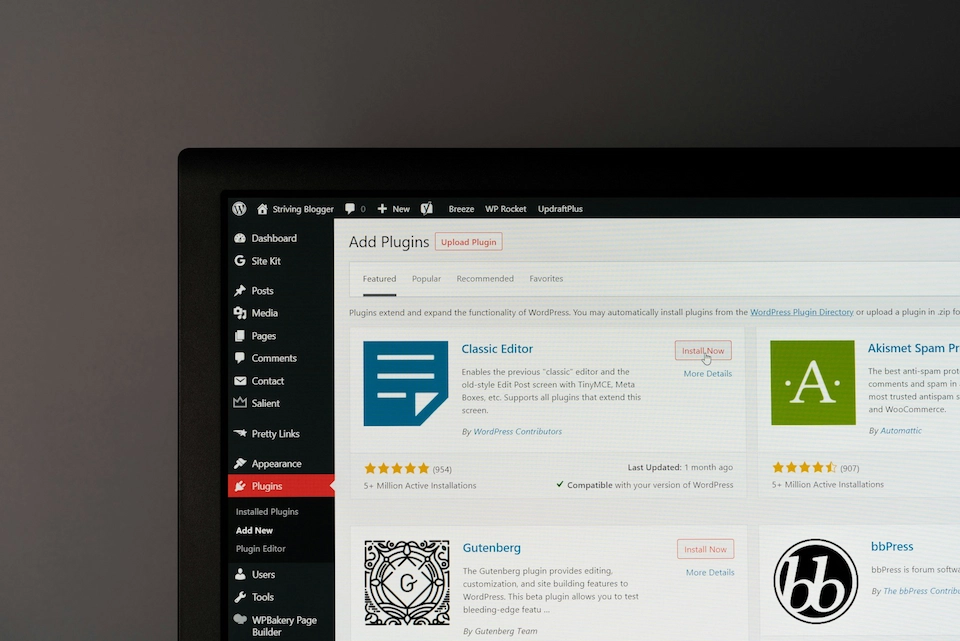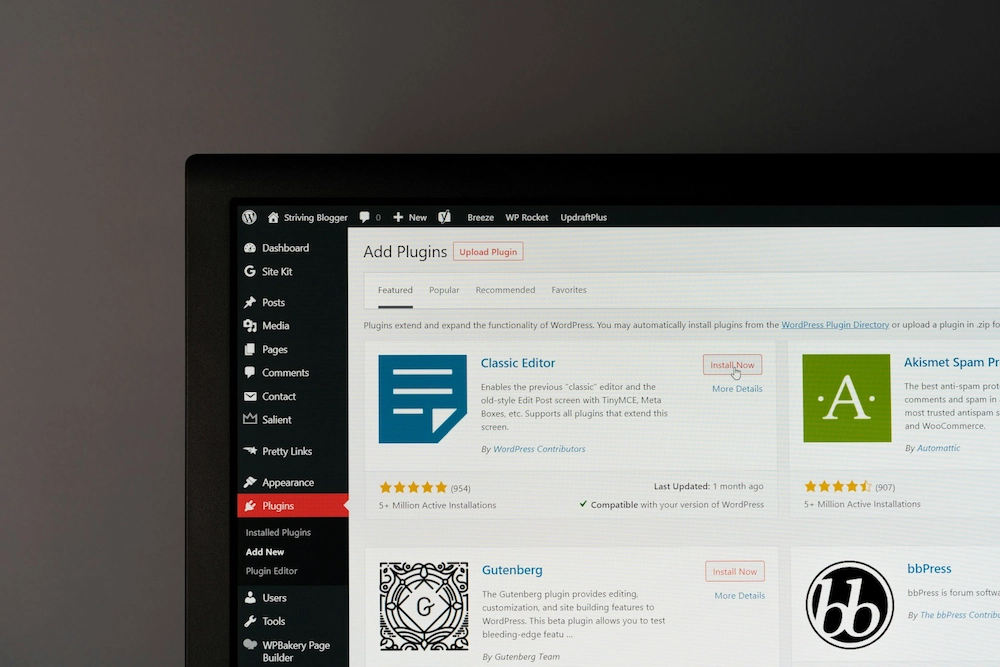
Managed WordPress hosting combines the infrastructure needed to run WordPress with the ongoing technical management required to keep a website fast, secure, stable and available.
But there is a problem with the word managed.
A relatively inexpensive WordPress hosting plan can be described as managed because it includes automated backups, caching and software updates. An agency or technical partner may use exactly the same term for a service that includes server management, tested WordPress updates, performance optimisation, security monitoring, malware remediation, backups and hands-on technical support.
Those are very different services.
For a business whose website generates leads, sales, bookings or revenue, the important question isn't simply "Where is our WordPress website hosted?"
It's:
"Who is responsible for keeping it working?"
At Rubik Digital, we work across both websites and the infrastructure behind them. That matters because many disruptive WordPress problems aren't caused by a server completely going offline.
The server can be healthy while a plugin conflict breaks a form. A PHP upgrade can expose outdated code. An automated update can affect a page template. An integration can stop passing data while the homepage continues to load perfectly normally.
The hosting dashboard may show everything as green while an important part of the website is broken.
That's why we believe businesses should evaluate managed WordPress hosting according to the technical ownership it provides, rather than simply comparing storage, CPU or monthly price.
This guide explains what managed WordPress hosting should include in 2026, how WordPress 7.0 changes the technical landscape, what managed hosting costs in the UK, how infrastructure can affect SEO and Core Web Vitals, and what businesses should look for when choosing a provider.
Managed WordPress Hosting: Key Takeaways
- Managed WordPress hosting combines infrastructure with technical management.
- "Managed" does not mean the same thing from every provider. Always establish exactly what is included.
- WordPress 7.0 has moved the platform forward again, particularly around AI, automation and extensibility, making a current and properly managed technology stack increasingly important.
- Managed WordPress hosting in the UK can range from tens to hundreds of pounds per month, depending on infrastructure, traffic, complexity and support.
- Hosting can influence SEO through speed, availability, security and technical stability, but better hosting alone won't create rankings.
- Automatic updates are not necessarily managed updates. For important websites, changes should be checked after they are applied.
- Backups only protect a business if they can be restored reliably when needed.
- The best hosting environment is not necessarily the most powerful one. It is the one appropriate for the website's requirements and commercial importance.
What Is Managed WordPress Hosting?
Managed WordPress hosting is a hosting service where the provider takes responsibility for more than simply supplying server space.
A traditional hosting provider supplies the infrastructure required to make a website accessible online.
A managed WordPress provider takes responsibility for additional parts of operating the WordPress environment.
Depending on the service, this can include:
- WordPress-specific server configuration
- Caching and performance optimisation
- WordPress core updates
- Plugin and theme updates
- Security management
- Malware monitoring
- Backups and recovery
- SSL certificate management
- Staging environments
- Uptime and server monitoring
- Troubleshooting
- Technical support
The exact scope varies considerably between providers.
That's why we'd recommend asking what the provider actually manages rather than relying on the label attached to the hosting package.
What Does "Managed" WordPress Hosting Actually Mean?
One of the most important distinctions is between automation and management.
Consider WordPress updates.
A hosting platform can automatically install a plugin update.
That's automation.
A managed process might instead look like:
Backup → Update → Test → Verify → Resolve or roll back if necessary
That difference becomes important when something goes wrong.
A successful update notification tells you that the software update completed. It doesn't necessarily tell you that your enquiry form still submits, checkout still works, your CRM integration is still receiving data or an important page template hasn't changed.
We see the same distinction with security.
A hosting provider might advertise malware scanning. But what happens if malware is actually detected?
Does the provider:
- alert you?
- investigate the compromise?
- remove the malicious code?
- restore a clean version?
- establish how the website was compromised?
- update or isolate the vulnerable component?
- help prevent the same route of attack being used again?
Monitoring a problem and taking responsibility for resolving it are different services.
For a commercially important website, knowing where that responsibility starts and ends matters far more than it does when everything is working normally.
Shared Hosting vs Managed WordPress vs Fully Managed WordPress
Not every WordPress website needs the same level of service.
| Area | Shared / Basic Hosting | Managed WordPress Hosting | Fully Managed WordPress |
|---|---|---|---|
| Hosting infrastructure | Yes | Yes | Yes |
| WordPress optimisation | Limited | Usually | Yes |
| Automated backups | Varies | Usually | Yes |
| Security controls | Basic | Enhanced | Actively managed |
| WordPress core updates | Customer / automated | Usually | Managed |
| Plugin and theme updates | Customer / automated | Varies | Managed |
| Post-update testing | Rare | Varies | Should be included |
| Malware monitoring | Varies | Often | Yes |
| Malware remediation | Usually extra | Varies | Can be included |
| Performance optimisation | Limited | WordPress-focused | Ongoing |
| Staging environment | Varies | Often | Yes |
| WordPress troubleshooting | Limited | Varies | Hands-on |
| Included technical support | Usually no | Varies | Can be included |
There is nothing inherently wrong with basic hosting.
A small brochure website receiving limited traffic may operate perfectly well on it.
Problems arise when a commercially important website is placed on a service that doesn't provide the level of management the business assumes it does.
What Should Managed WordPress Hosting Include?
We would expect a serious managed WordPress service to address six core areas.
1. Performance
WordPress performance depends on far more than CPU and RAM.
A properly managed environment should consider:
- server-side caching
- PHP configuration
- PHP OPcache
- persistent object caching where appropriate
- database performance
- CDN configuration
- image delivery
- compression
- plugin overhead
- third-party scripts
- application architecture
One mistake we regularly see is the assumption that upgrading a server automatically fixes a slow WordPress website.
Sometimes additional resources help. Often they aren't the underlying problem.
A website can have substantial server capacity and still perform poorly because the bottleneck is inefficient code, unnecessary plugins, uncached database queries, oversized assets or large amounts of third-party JavaScript.
Good performance management starts by finding the bottleneck, not simply adding more server resources.
If you're assessing an existing site, benchmarking it with reliable website speed testing tools before and after infrastructure changes is considerably more useful than guessing.
2. Security
WordPress security should operate across multiple layers.
That can include:
- server security
- web application firewall protection
- malware scanning
- login protection
- vulnerability management
- WordPress updates
- appropriate user permissions
- SSL/TLS
- backups
- monitoring
- incident response
No credible hosting provider can guarantee that a WordPress website will never be compromised.
The more useful question is:
How does the provider reduce the risk, detect a problem and recover if something does happen?
A security scanner is useful. A technical team capable of interpreting an alert and taking appropriate action is more useful.
3. Backups and Recovery
Backups should be automatic and appropriate to how frequently the website changes.
For many business websites, daily backups are a sensible baseline.
WooCommerce, membership websites or platforms where customer and transactional data changes frequently may need more frequent backups.
But backup frequency is only one part of the equation.
Ask:
- How long are backups retained?
- Where are they stored?
- Are they separate from the production environment?
- What exactly is being backed up?
- How quickly can the website be restored?
- Who performs the restoration?
- Is restoration included?
- Have the backups ever been tested?
A database backup that runs every day isn't particularly reassuring if nobody discovers until an emergency that it cannot be restored.
The right backup strategy ultimately comes down to one business question:
How much data could you afford to lose?
4. Managed Updates
WordPress core, plugins and themes require ongoing maintenance.
For commercially important websites, we prefer managed updates rather than blindly enabling every automatic update.
The level of testing should reflect the risk of the change.
A small plugin patch may need a straightforward post-update check. A major WordPress, plugin or PHP release may warrant:
- a current backup
- staging environment testing
- compatibility checks
- controlled deployment
- functional verification
Automation is extremely useful.
But automation should remove repetitive work, not remove technical judgement.
5. Monitoring
Basic uptime monitoring is useful, but it only tells part of the story.
Depending on the importance of the website, monitoring can include:
- uptime
- server resources
- CPU and memory usage
- disk utilisation
- SSL status
- backup status
- PHP and application errors
- security events
- performance
- database health
A website returning a 200 OK HTTP response doesn't necessarily mean everything is working.
The homepage could load while forms fail, checkout doesn't complete, an API integration is unavailable or background processes are generating errors.
The more commercially important the website, the more useful application-level monitoring becomes.
6. Technical Support
This is one of the biggest differentiators between hosting services.
Before choosing a provider, ask:
Who actually investigates when something goes wrong?
Can they diagnose WordPress? Can they investigate the server? Can they identify plugin conflicts? Can they inspect PHP or application errors?
What response times do they provide?
Is investigation included? Is remediation included?
And if an issue sits somewhere between "hosting" and "WordPress", who owns the problem?
The answers are often much more useful than knowing how many gigabytes of storage are included.
For businesses that need ongoing technical ownership rather than infrastructure alone, our website maintenance and WordPress support service combines proactive updates, monitoring, security management and technical troubleshooting.
WordPress 7.0: Why the Hosting Conversation Has Changed in 2026
WordPress 7.0 "Armstrong" was released on 20 May 2026 and represents a significant evolution of the platform.
Among the headline developments, WordPress 7.0 introduces the AI Client into WordPress Core and expands the role of the Abilities API, creating a more standardised foundation for AI-enabled functionality, workflow automation and integrations.
The release also introduces a modernised WordPress administration experience and further expands the APIs and development capabilities available to plugin and platform developers.
That doesn't mean every WordPress 7.0 website suddenly needs an enormous server.
It does mean WordPress continues to evolve beyond the traditional idea of a simple blogging CMS.
Modern WordPress increasingly sits at the centre of:
- marketing platforms
- e-commerce
- CRM integrations
- APIs
- automation
- personalised experiences
- content workflows
- AI-enabled functionality
As those capabilities expand, maintaining a current platform becomes increasingly important.
Running unsupported database software, outdated PHP versions or an environment nobody actively maintains becomes harder to justify when WordPress itself continues moving forward.
Our view is that a managed provider in 2026 should therefore be considering more than:
"Can this server run WordPress?"
The better question is:
"Is this a current, supported and appropriately resourced environment for where WordPress is heading?"
If you're considering WordPress for a new website, our guide to choosing a WordPress development agency covers the wider development, technical, SEO and support considerations.
What Technical Requirements Should WordPress Hosting Support in 2026?
You don't need to become a systems administrator to choose WordPress hosting.
But businesses should understand the difference between a compatibility baseline and a sensible modern production stack.
PHP
WordPress currently recommends PHP 8.3 or greater.
For production environments, we favour supported PHP releases that have been properly tested against the site's WordPress version, theme, plugins, custom functionality and integrations.
We would not upgrade PHP simply because a newer version number exists.
Nor would we leave a commercially important website indefinitely on an ageing version because nobody wants to test it.
PHP upgrades should be treated as a controlled platform change:
Backup → Test → Deploy → Verify
Database
At the time of writing, the official WordPress requirements recommend MariaDB 10.11 or greater, or MySQL 8.0 or greater.
However, compatibility and sensible production architecture are not always the same thing.
MySQL 8.0 reached end of life in April 2026. For new environments using MySQL, we would therefore favour a current supported LTS release such as MySQL 8.4 LTS, once compatibility with the site's application stack has been confirmed.
For MariaDB, 10.11 remains a supported long-term release, while newer supported LTS branches are also available.
Our principle is straightforward:
The oldest version WordPress can run on is not automatically the version we'd choose when designing a new production environment.
We favour current, supported technology that has been validated against the website, its plugins and its integrations.
HTTPS
HTTPS should be standard across the entire website.
Certificates should be installed correctly, renewed automatically or actively managed, monitored for expiry and enforced across the application.
Web Server
WordPress runs well on established server technologies including NGINX and Apache.
For most businesses, the quality of the implementation matters considerably more than whether one particular technology appears in a hosting company's feature list.
A poorly configured NGINX environment does not become superior simply because it uses NGINX.
Caching
A modern WordPress environment may use multiple caching layers, including:
- full-page or server caching
- PHP OPcache
- browser caching
- CDN caching
- persistent object caching such as Redis
These layers reduce unnecessary processing and database work, but they should be configured according to the site's behaviour.
Aggressive caching can create problems of its own on dynamic websites if important exclusions, invalidation rules or logged-in behaviour are misunderstood.
Persistent Object Caching
Persistent object caching, commonly implemented with Redis, can reduce repeated database work.
It can be particularly useful for WooCommerce, membership websites, complex WordPress applications, high-traffic installations and database-intensive workloads.
But it isn't automatically necessary for every WordPress website.
A largely static brochure website with effective page caching may see comparatively little benefit.
Technology should solve an actual problem rather than simply decorate the hosting specification.
CDN and Edge Delivery
A content delivery network can improve asset delivery, resilience and security.
Modern CDN platforms can also provide capabilities including DNS, edge caching, DDoS mitigation, web application firewall protection, bot controls, image optimisation and traffic filtering.
For websites with geographically distributed audiences, CDN architecture can be as relevant to delivery performance as the physical location of the origin server.
Monitoring and Logging
A production environment should provide enough visibility to understand what is happening when a problem occurs.
Depending on the website, useful data can include:
- uptime
- HTTP errors
- PHP and application errors
- CPU and memory utilisation
- database performance
- security events
- backup status
- SSL expiry
- disk utilisation
- slow requests
We don't view these as impressive extras.
For an important website, observability is part of running the platform properly.
Does WordPress Hosting Affect SEO?
Yes. Hosting can affect SEO indirectly through website performance, availability, security and technical stability. But premium hosting is not an SEO shortcut.
Hosting becomes an SEO problem when the infrastructure contributes to issues such as:
- slow server responses
- persistent downtime
- 5xx server errors
- crawling problems
- unreliable deployments
- poor performance
- security incidents
Moving a poorly constructed website onto a more powerful server won't automatically make it rank.
Content quality, information architecture, technical SEO, authority, internal linking and user experience all remain important.
We therefore see hosting as part of the technical foundation that supports SEO, rather than an SEO strategy in itself.
For a wider technical review, see our guide to the most common technical SEO issues and how to fix them.
Does Hosting Affect Core Web Vitals?
Hosting can influence Core Web Vitals, particularly loading performance, but not every Core Web Vitals problem is a hosting problem.
Google's current Core Web Vitals are Largest Contentful Paint (LCP), Interaction to Next Paint (INP) and Cumulative Layout Shift (CLS).
If you'd like a deeper explanation of the metrics and how they are measured, read our full guide to Core Web Vitals and how to improve them.
Largest Contentful Paint (LCP)
Good: 2.5 seconds or less
LCP measures loading performance and how quickly the main content of a page becomes visible.
Hosting can influence LCP through server response time, backend processing, caching, database performance and CDN delivery.
But the server is only part of the chain.
Large images, fonts, render-blocking CSS and front-end implementation can all produce poor LCP even when the infrastructure itself is fast.
Interaction to Next Paint (INP)
Good: 200 milliseconds or less
INP measures responsiveness after a visitor interacts with a page.
Backend activity can contribute to some interactions, particularly in dynamic applications, but client-side JavaScript and front-end architecture are often significant factors.
Adding more CPU will not automatically fix a website that is shipping excessive JavaScript to the browser.
Cumulative Layout Shift (CLS)
Good: 0.1 or less
CLS measures unexpected movement of content during page loading.
It is predominantly a front-end issue caused by factors such as missing image dimensions, late-loading content, advertising, embeds and font behaviour.
A more powerful server generally won't fix it.
That's why we're cautious when hosting companies suggest that moving a website to their platform alone will "fix Core Web Vitals".
Website performance is a system. Hosting is one component of it.
Why UK Businesses Choose Managed WordPress Hosting
UK organisations often have additional practical considerations when evaluating hosting.
UK-Based Support
Support operating during UK business hours can be extremely useful when an urgent website problem needs attention.
But geography itself isn't a measure of quality.
Technical capability, availability and agreed response times matter considerably more than whether a provider simply displays a Union Jack on its website.
Performance for UK Visitors
If most website visitors are in the UK, infrastructure should be designed with that audience in mind.
Physical server location can influence latency.
But modern website delivery also depends on CDN infrastructure, caching, DNS, network quality, application performance and third-party services.
A server physically located in London isn't automatically faster than a well-engineered European environment with good network connectivity and effective edge caching.
UK GDPR and Data Location
This area is frequently oversimplified in hosting marketing.
Hosting a website on a UK server does not automatically make that website UK GDPR compliant.
Businesses need to understand what personal data is processed, who processes it, the organisations involved, relevant processors and sub-processors, where information may be transferred or accessed, and what contractual and technical safeguards apply.
Server geography can form part of that assessment.
It isn't a compliance strategy by itself.
Managed WordPress Hosting for WooCommerce
WooCommerce deserves special consideration because it behaves differently from a relatively static marketing website.
Product and content pages can often be cached efficiently.
But areas such as baskets, checkout, customer accounts, orders, stock, payment processing and dynamic integrations require more application and database activity.
For WooCommerce, we'd pay particular attention to:
- compute resources
- PHP workers
- database performance
- persistent object caching
- checkout performance
- backup frequency
- payment integrations
- security
- monitoring
- staging
- deployment processes
- traffic spikes
For an e-commerce business, downtime isn't simply inconvenient.
It can directly stop revenue.
That changes the economics of choosing hosting purely on price.
Signs You've Outgrown Cheap WordPress Hosting
Cheap WordPress hosting isn't inherently bad.
The real question is whether it remains appropriate for what the website has become.
Common warning signs include:
- the website noticeably slows during busy periods
- WordPress admin has become sluggish
- unexplained 500, 502 or 503 errors appear
- hosting resource limits are regularly reached
- downtime is becoming more frequent
- backups are unreliable or difficult to restore
- plugin updates regularly cause problems
- technical support can't investigate WordPress issues
- nobody clearly owns technical problems
- traffic has grown substantially
- WooCommerce has been added
- integrations have become more complex
- the website now generates significant leads or revenue
There is also a non-technical signal that businesses frequently overlook:
Your website has become important enough that you can no longer afford for nobody to be responsible for it.
Hosting problems can also be symptoms of a wider ageing technology stack. Our guide to the signs your website needs a redesign explains when optimisation is enough and when a wider rebuild may be necessary.
How Much Does Managed WordPress Hosting Cost in the UK?
Managed WordPress hosting in the UK can range from around £20 per month to £500+ per month, depending on the website and what the provider includes.
As a broad guide:
| Type of Service | Typical Monthly Cost |
|---|---|
| Entry-level managed WordPress hosting | £20–£50 |
| Managed hosting for a business website | £50–£150 |
| Fully managed / higher-spec business environment | £150–£500+ |
| Complex, high-traffic or enterprise WordPress | £500+ |
These should be treated as indicative ranges rather than fixed market rates.
Price can be influenced by:
- server resources
- traffic
- storage
- website complexity
- backup frequency and retention
- security requirements
- update management
- monitoring
- support response times
- staging
- included technical support
- WooCommerce or other dynamic functionality
The important thing is to compare what is actually included rather than simply comparing two monthly figures.
If you're budgeting for a new website as well as its ongoing infrastructure, our 2026 guide to website development costs in the UK provides a wider view of build, support and ongoing investment.
£30 Hosting vs £150+ Managed WordPress: What Are You Paying For?
This is one of the most useful comparisons businesses can make.
A £30 hosting service might include:
- WordPress hosting
- SSL
- automated backups
- automated updates
- basic security
- ticket support
That could be everything a small website needs.
A £150+ managed service might additionally include:
- higher-spec or isolated resources
- server management
- managed WordPress updates
- post-update testing
- performance optimisation
- active security management
- malware remediation
- managed backups
- monitoring
- staging
- faster technical response
- hands-on WordPress troubleshooting
- included technical support time
You're not necessarily paying the additional amount because the physical infrastructure costs five times as much.
You're paying for infrastructure plus expertise, time, support and technical management.
That's particularly important when comparing agency-managed WordPress environments with low-cost mass-market hosting.
Managed WordPress Hosting vs WordPress Maintenance
The two services overlap but aren't necessarily the same thing.
Managed Hosting
Managed hosting usually focuses on the environment running WordPress, including:
- server infrastructure
- operating environment
- network
- caching
- backups
- SSL
- server security
- availability
WordPress Maintenance
WordPress maintenance usually focuses more heavily on the application itself, including:
- WordPress core
- plugins
- themes
- compatibility
- updates
- testing
- bug fixes
- performance improvements
- technical changes
Fully Managed WordPress
A fully managed service combines the two.
For many organisations, that's the model that removes the awkward grey area between:
"The server is up, so it's not our issue."
and:
"WordPress is broken, but we don't manage your hosting."
When one technical partner understands both layers, diagnosis can become considerably quicker.
How to Choose a Managed WordPress Hosting Provider
Ignore the marketing language for a moment and ask practical questions.
| Area | What to Ask |
|---|---|
| Performance | How is WordPress optimised and cached? |
| Infrastructure | What resources does my website receive? |
| Technology | Are the PHP and database versions current and supported? |
| Updates | Are updates automated, or managed and tested? |
| Backups | How often are they taken and how long are they retained? |
| Recovery | Who restores the website if something goes wrong? |
| Security | What happens if malware is detected? |
| Monitoring | What is monitored beyond basic uptime? |
| Support | Who investigates WordPress problems? |
| SLA | What response times are provided? |
| Staging | Can disruptive changes be tested first? |
| Scalability | What happens if traffic suddenly increases? |
A good provider should be able to answer those questions clearly.
10 Questions We'd Ask a WordPress Hosting Provider
If we were evaluating a hosting provider for a client, these are some of the questions we'd ask:
- What exactly does "managed" include?
- Who manages WordPress core, plugin and theme updates?
- Are important updates tested afterwards?
- How frequently are backups taken and how long are they retained?
- Are backups stored separately from production?
- How quickly can the website be restored?
- What security monitoring is included?
- Is malware remediation included or separately chargeable?
- What response times apply to critical problems?
- Who takes responsibility when the problem sits between WordPress and the server?
That final question is particularly revealing.
When something goes wrong, a business doesn't want its hosting provider insisting it's a development problem while its developer insists it's a hosting problem.
Who Needs Managed WordPress Hosting?
Managed hosting becomes increasingly valuable as the commercial importance or technical complexity of a website increases.
We would strongly consider it for:
- lead-generation websites
- WooCommerce stores
- high-traffic content websites
- membership platforms
- websites supporting paid advertising campaigns
- organisations with complex integrations
- businesses without internal WordPress expertise
- websites where downtime carries meaningful financial or reputational consequences
The more commercially important the website becomes, the less sensible it is to make hosting decisions purely on the lowest monthly price.
Who Doesn't Need Expensive Managed WordPress Hosting?
Not everybody.
A small website with low traffic, minimal functionality, few plugins, no transactions, no important integrations and little commercial dependency may be completely comfortable on good-quality lower-cost hosting.
At Rubik Digital, we don't believe businesses should pay for infrastructure they don't need.
If a £30 environment comfortably meets a website's requirements, moving it onto a £300 setup simply because the specification sounds impressive isn't good technical architecture.
The objective is to build the right environment for the website, not the most expensive environment available.
Moving an Existing WordPress Website to Managed Hosting
Most established WordPress websites can be moved to a new managed environment without significant disruption, but the migration needs to be planned properly.
A professional migration should consider:
- full website and database backups
- PHP and database compatibility
- DNS planning
- SSL
- email and SMTP configuration
- scheduled tasks and cron jobs
- third-party integrations
- CDN and caching configuration
- staging and functional testing
- redirects where URLs are changing
- post-launch monitoring
If the hosting move is part of a larger redesign, CMS change or replatforming project, SEO needs to be protected at the same time. Our website migration SEO guide explains how to migrate without unnecessarily losing rankings and organic traffic.
Rubik Digital's View: Hosting Is Part of the Website, Not a Separate Commodity
We've worked with enough websites to know that technical problems rarely respect supplier boundaries.
A performance issue might originate in WordPress, PHP, MySQL or MariaDB, a plugin, custom code, the server, a CDN, an API or third-party JavaScript.
Security issues can cross exactly the same boundaries.
So can update failures.
That's why our approach to managed WordPress is to look at the website and its infrastructure as one connected technical system.
Use the Right Infrastructure
More powerful isn't automatically better.
Infrastructure should reflect traffic, functionality, integrations, workload, growth requirements and commercial importance.
We'd rather solve the actual bottleneck than sell more server.
Prevent Problems Where Possible
Updates, monitoring, backups, security and maintenance should reduce both the likelihood and impact of incidents.
Support shouldn't only begin after the website has already failed.
Take Technical Ownership
This is the most important principle.
When a business entrusts an important website to a technical partner, there should be clarity about who is responsible for investigating problems.
That doesn't mean every problem can be prevented.
It means someone owns the technical process of working out what happened and what needs to happen next.
That's what managed means to us.
Not Sure Whether Your Current WordPress Hosting Is Good Enough?
If you're paying for WordPress hosting but aren't entirely sure what is actually being managed, that's a useful place to start.
Rubik Digital can review your existing WordPress environment, including:
- hosting infrastructure
- PHP and database stack
- WordPress configuration
- performance
- updates and plugins
- backups and recovery
- security
- monitoring
- technical support arrangements
We'll identify where the risks or gaps are and whether the existing setup is appropriate for the website.
And if your current hosting is already suitable, we'll tell you that too.
Talk to Rubik Digital about your WordPress setup →
Thoughts
Managed WordPress hosting shouldn't be judged by who offers the most storage, the biggest server or the longest feature list.
It should be judged against the website it needs to support.
WordPress itself continues to evolve. WordPress 7.0 has pushed the platform further into AI-enabled functionality and automation, while the underlying PHP, database and infrastructure ecosystem continues to move forward too.
For a small brochure website, good-quality basic hosting may still be everything that's required.
For a business whose website generates leads, processes transactions or supports important marketing activity, the requirements are different.
Performance matters. Security matters. Backups matter. Keeping the underlying technology current matters. Support matters.
But ultimately, the most important question remains much simpler:
When something goes wrong, who is responsible for getting the website working properly again?
Choose a managed WordPress provider that can answer that question clearly.
If you'd like Rubik Digital to review your existing WordPress setup or discuss a fully managed environment, get in touch with our technical team.
Technical Sources and Further Reading
- WordPress.org – Hosting Requirements
- WordPress.org – WordPress 7.0 "Armstrong"
- Google Search Central – Core Web Vitals
- Oracle MySQL – MySQL 8.0 Release and End-of-Life Information
- MariaDB Foundation – MariaDB Release and Maintenance Information
Technical requirements, software versions and platform recommendations change over time. This guide is reviewed periodically to ensure version-specific information remains current.