
A redesign or replatform is one of the most valuable things you can do for a website, and one of the easiest ways to lose years of search traffic in an afternoon. The losses are almost always avoidable. They rarely come from the new design. They come from what quietly changes underneath it: addresses, content, structure and the technology serving it.
This guide explains why migrations lose rankings and gives you the checklist we use before, on and after launch day, based on Google's own site move guidance.
Can you redesign a website without losing rankings?
Yes. You can redesign or replatform without losing rankings if the move is planned. Benchmark current performance, map every old URL to its new equivalent, keep the content that ranks, put permanent redirects live at launch, and watch Search Console closely for the first few months. Most lost traffic comes from skipping one of those steps.
Types of website migration
Not every migration carries the same risk. The more things change at once, the harder it is to work out what went wrong if traffic falls.
| Type of move | What changes | SEO risk |
|---|---|---|
| Redesign, same URLs | Design, templates, sometimes content | Low to medium |
| New URL structure | Page addresses, often navigation | Medium to high |
| CMS replatform | Templates, URLs, rendering, metadata handling | High |
| Domain change | Every URL, plus how others link to you | High |
| HTTP to HTTPS | Protocol only | Low if redirects are clean |
| Merging sites | URLs, content and authority from two sites | High |
If you can, avoid changing domain, URLs and CMS in the same release. For large sites, Google recommends moving a test section first and the rest afterwards, which also makes problems far easier to trace.
Why migrations lose rankings
- Old URLs are not redirected. The biggest cause by far. Google's index and other sites' links still point at pages that now return 404.
- Ranking content is cut. A redesign is often treated as a chance to trim copy, but that copy is frequently what ranked the page.
- Structure and internal links change. Important pages end up deeper in the site, with fewer internal links pointing at them.
- Metadata is overwritten. New templates regenerate titles and descriptions that earned clicks for years.
- Blocks are left in place. A noindex tag or robots.txt rule from the staging site goes live with the new one.
- Content moves into JavaScript. Text that was in the HTML is now loaded by a script that search engines may not render.
- The new site is slower. A heavier design can push Core Web Vitals from good to poor.
In our experience, sites rarely lose rankings for one dramatic reason. They lose them to several small oversights that add up.
The website migration checklist
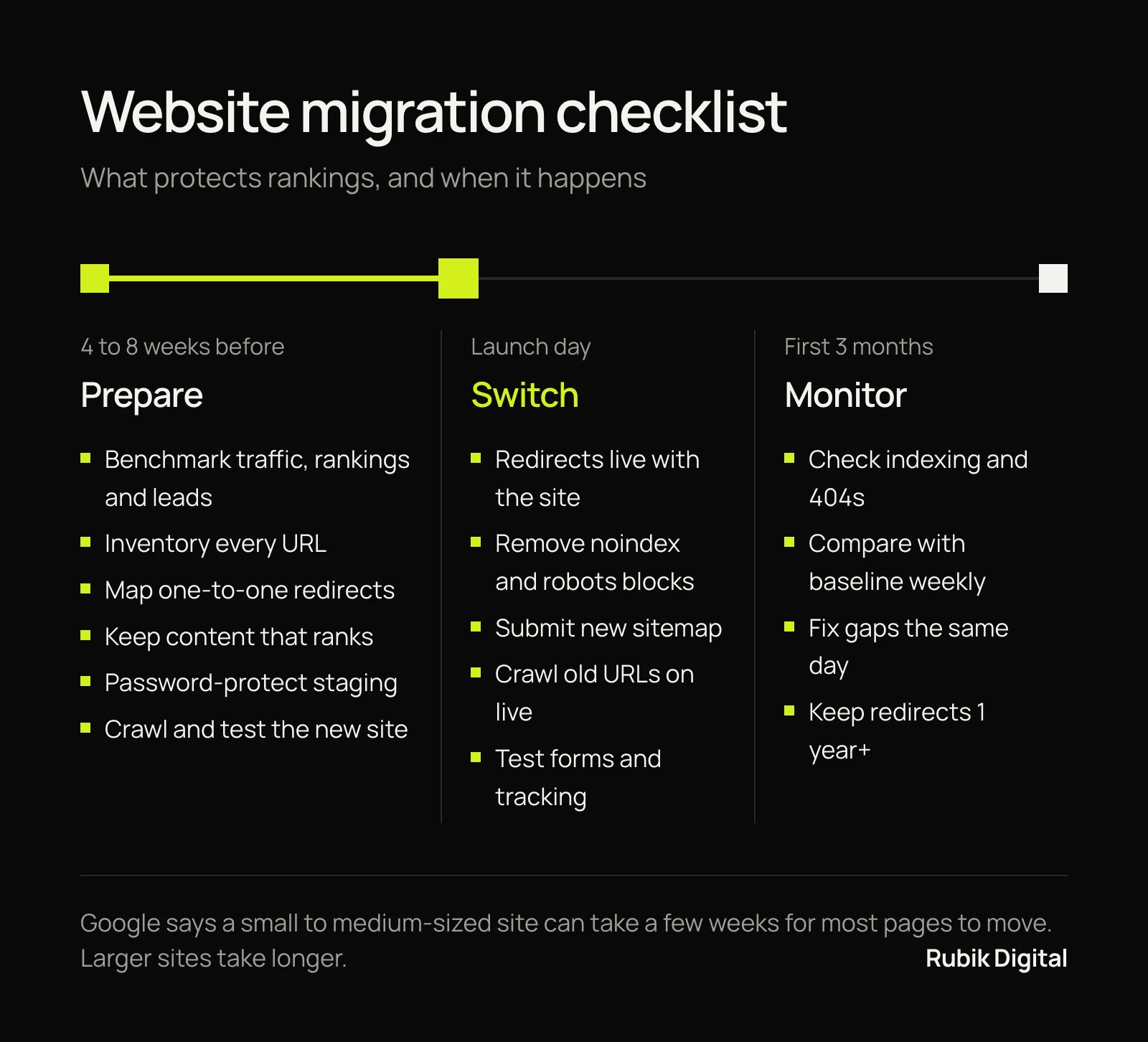
Before launch: four to eight weeks out
- Benchmark. Export 16 months of clicks, impressions and positions by page and query from Search Console, conversions by landing page from analytics, and your backlinks. Note the 20 to 50 pages that matter most.
- Inventory every URL. Combine a crawl of the live site with your sitemap, Search Console pages, analytics landing pages and backlink targets. A crawl alone misses orphan pages and old URLs that still have links.
- Build the redirect map. Pair every old URL with its closest new equivalent, one to one. Do not send everything to the homepage: Google can treat irrelevant redirects as soft 404s and drop the page's value.
- Keep what ranks. Carry over the content, titles, headings and structured data of your important pages. Improve them, but do not gut them.
- Protect staging. Put the new site behind a password or IP restriction, not just a robots.txt block.
- Test the new site. Crawl staging and check status codes, canonical tags, noindex tags, rendered HTML, internal links and Core Web Vitals on the main templates.
Launch day
- Put all redirects live at the same time as the new site, using permanent 301 or 308 redirects. Avoid chains: each old URL should go straight to its final destination.
- Remove every noindex tag and robots.txt rule that was only there for staging.
- Check that canonical tags on the new site point to the new URLs.
- Submit the new XML sitemap in Search Console. For a domain move, submit a Change of Address for every verified variant of the old domain.
- Crawl your list of old URLs against the live site. Every one should return a single redirect to a page that returns 200.
- Test forms, tracking and conversions. A migration that keeps rankings but breaks enquiries has still failed.
After launch: the first three months
- Check the Page indexing report and the 404 list in Search Console several times a week for the first month.
- Compare clicks and positions on your key pages with the baseline every week.
- Fix missing redirects the day you find them. Small gaps caught early rarely do lasting damage.
- Update the links you control: social profiles, Google Business Profile, directory listings and email signatures.
- Keep redirects for at least a year, as Google recommends, and for any page with backlinks, indefinitely.
How long does recovery take?
Google says a small to medium-sized site can take a few weeks for most pages to move in search, and larger sites take longer, depending on how many URLs there are and how fast the server is. Rankings often wobble while that happens. Google also warns that it will crawl the new site more heavily than usual for a while, so the server needs headroom.
| What you see | Normal? | What to do |
|---|---|---|
| A dip for two to four weeks, then recovery | Yes | Keep monitoring against the baseline |
| Old URLs still showing in Search Console reports | Yes, for weeks or months | Nothing, as long as they redirect |
| Traffic still falling after four to six weeks | No | Check redirects, indexing and blocked pages |
| Key pages missing from the index | No | Inspect the URLs; check noindex, canonicals and rendering |
| A spike in 404s from old URLs | No | Add the missing redirects |
What we see on our own site
We have just been through this ourselves. When we rebuilt this site, our guides moved from /knowledge/ to /insights/. Every guide kept its slug, so a single rule redirects each old address straight to its new one, and each retired service page points to its closest replacement rather than the homepage.
Even with clean redirects, Search Console only began reporting the new /insights/ addresses in late October, while months of history still sat under the old ones. That lag is normal. It is also why you take the benchmark before the move: afterwards, the numbers are split across two sets of URLs for a while.
Replatforming: moving to a new CMS
Changing CMS adds risk because URLs, templates and the way pages are rendered can all change at once. Watch for:
- URL patterns. WordPress date-based URLs, trailing slashes and category paths rarely survive a move unchanged. Map them with rules where you can and test every rule.
- Template defaults. A new CMS may generate titles, canonicals and structured data differently. Check the output, not the settings screen.
- JavaScript rendering. Headless and JavaScript-heavy front ends should render the main content and links on the server.
- Media and files. Image and PDF URLs often change. Redirect the ones with links or traffic.
If you are choosing a platform as part of the rebuild, these may help: headless CMS vs WordPress, the best open source headless CMS, WordPress vs Webflow and what is Concrete CMS.
The most costly migration mistake
The biggest reason redesigns lose rankings is organisational, not technical. The web team designs and builds, SEO is pencilled in for after launch, and the migration falls through the gap between them. By the time anyone looks at traffic, the damage is weeks old.
The fix is to make SEO part of the build from the first week: the redirect map, content inventory and launch checks are project deliverables with an owner, not a favour someone does at the end. That is how we run our website redesign and website migration projects, and why we recommend an SEO audit before any redesign starts. Our step-by-step SEO audit guide shows what that covers.
“Nobody remembers the redirect map when it works. Everyone remembers the month enquiries dried up. Build the map before the design is signed off, not the week before launch.”
For the wider picture, see the signs it is time to redesign your website and whether you need an audit or a redesign first. Our guide to website redesign services covers typical UK costs and timelines.